• An addendum to Rule 3 regarding fan-translated works of things such as Web Novels has been made. Please see here for details.
  • We've issued a clarification on our policy on AI-generated work.
  • Our mod selection process has completed. Please welcome our new moderators.
  • Due to issues with external spam filters, QQ is currently unable to send any mail to Microsoft E-mail addresses. This includes any account at live.com, hotmail.com or msn.com. Signing up to the forum with one of these addresses will result in your verification E-mail never arriving. For best results, please use a different E-mail provider for your QQ address.
  • For prospective new members, a word of warning: don't use common names like Dennis, Simon, or Kenny if you decide to create an account. Spammers have used them all before you and gotten those names flagged in the anti-spam databases. Your account registration will be rejected because of it.
  • Since it has happened MULTIPLE times now, I want to be very clear about this. You do not get to abandon an account and create a new one. You do not get to pass an account to someone else and create a new one. If you do so anyway, you will be banned for creating sockpuppets.
  • Due to the actions of particularly persistent spammers and trolls, we will be banning disposable email addresses from today onward.
  • The rules regarding NSFW links have been updated. See here for details.

Site running abnormally slow

OK that's interesting, I haven't been having issues. What theme were you previously using? I use Blackened High Contrast.

Also Blackened high contrast but switching to xenforo default seems to have helped me too (firefox PC). I wonder if there's some issue with the themes? I'm using a screen darkening add on for firefox to compensate but I'm going to try switching back to see what happens.
 
Swapping from Blackened High Contrast to Blackened Blue seems to have improved performance for me but I haven't tried any long term testing. Will update if it goes bad to give more info.
 
Swapping from Blackened High Contrast to Blackened Blue seems to have improved performance for me but I haven't tried any long term testing. Will update if it goes bad to give more info.

Weirdly, swapping back didn't seem to adversely affect it again for me. Like the actual ACT of switching seems to have helped a lot for some reason lmao.

Update: nvm, it only lasted for a while and then slowed down again.
 
Last edited:
Still getting the problem intermittently. Even switching styles doesn't really help more then a small amount. It Does seem to help though. might just be my imagination.
 
Adding my 2 cents. Just reading two different threads, one doesnt load properly even when refreshing, a second loads instantly while the first is still displaying a loading icon. Then it loads but when I think its good the text is trucated. A reload works perfectly the first time.
Using PC with Chome.
For me both load instantly, load times on images could be better in some cases but aren't fatal.

I use a Firefox fork called Mercury to browse this place most of the time, but I tried Vivaldi (Chrome fork that prides on its privacy/performance).
Try purging or disabling your dns cache altogether, since I also use unbound as a cahcing DNS resolver.

By the way, I run Arch. 🤣

Nah, just kidding, I use Linux Mint.
 
The site itself is doing better for me, but some images are doing a thing where they start to load and never finish, so I see the top of it but nothing else. It's only really happening from images inside spoilers
 
The problem seems to be images... I checked it with web developer tools in Firefox and when the site slows down for me it is because its trying to load an image that takes over 30 secs or sometimes timesout...
Anyone know how I can drop a screenshot here?

Edit: You can check it by going to menu on the browser (the 3 dots on chrome or 3 dashes on firefox) -> More tools -> Web Developer Tools -> Choose the Network Tab.
 
Last edited:
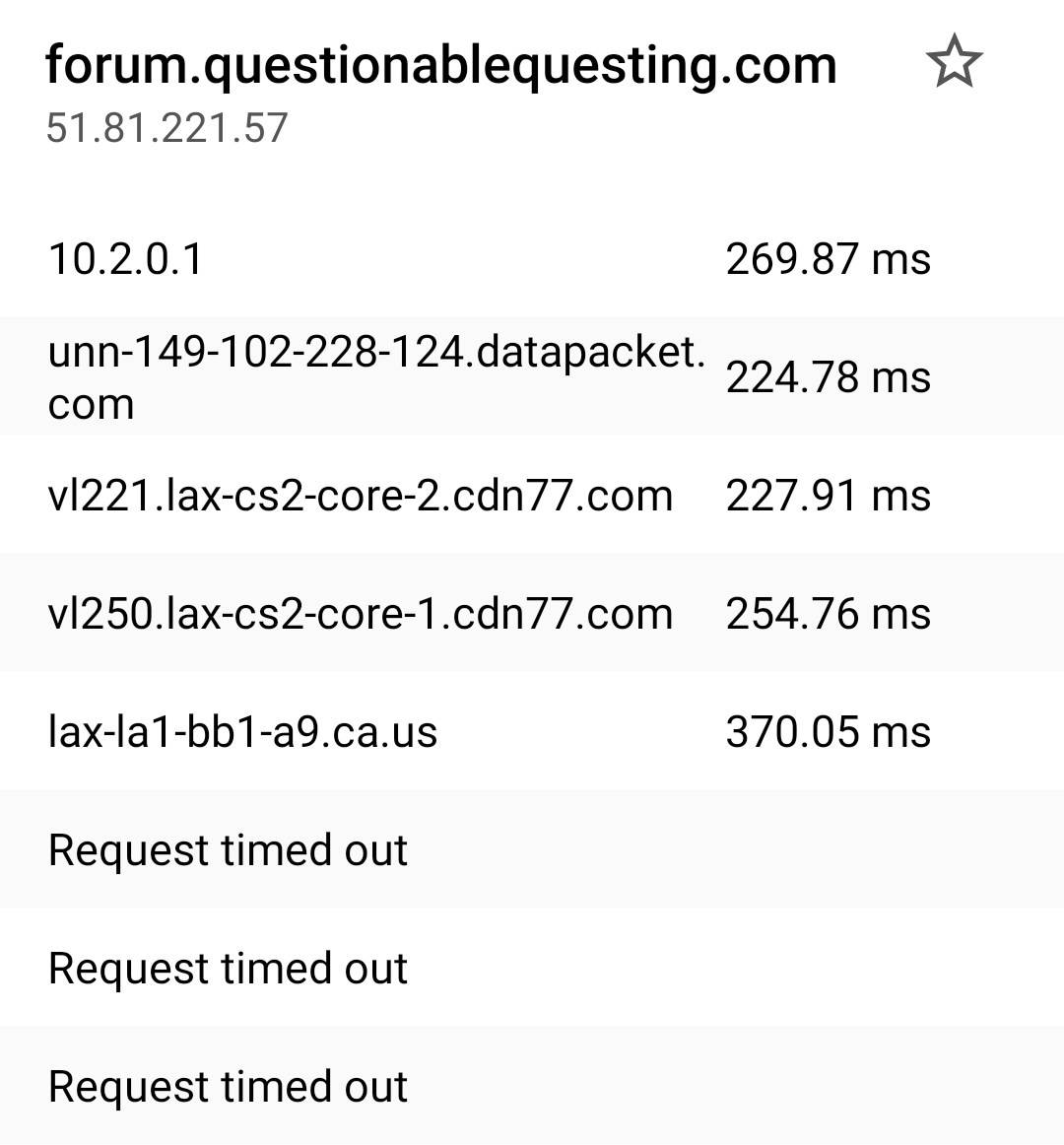
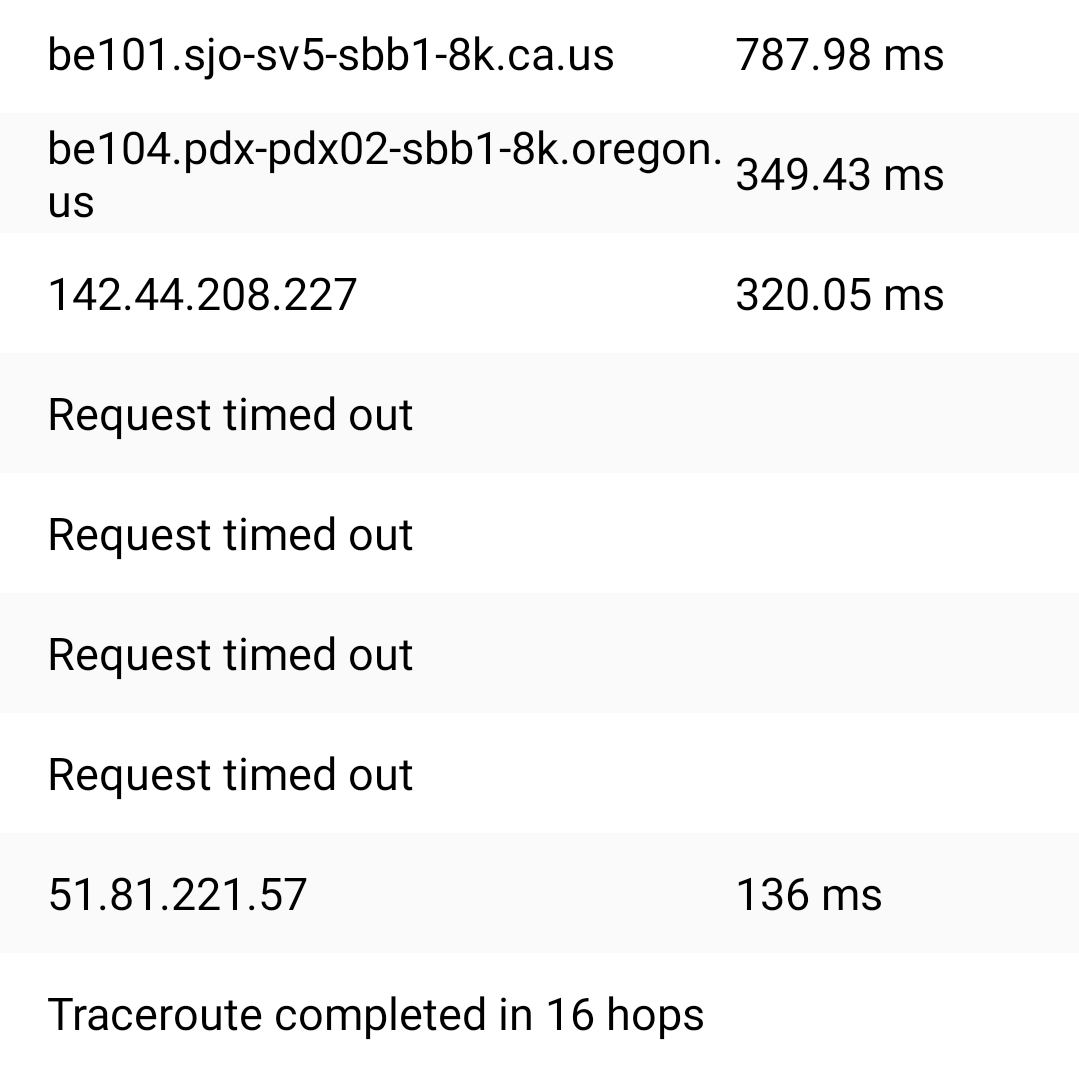
Well I decided to reset my modem to see if it would fix the problem today since it been real bad for me today at times it did not change anything so I think its safe to say its on the website side of things also I did try on my phone were I'm not signed in ever since I don't like the mobile version and I'm getting lag on it too.
 
It's been taking longer today for pages to load for me also.
 
Speed test?
DNS cache cleaning?
Check timings in the Chrome/Mozilla debug tools?
Can have a go checking measurable metrics after I finish watching this movie.
So, keeping in mind I'm very much not a tech guy:

Doing a general speed test for my connection right now has me at 328 Mbps download and 32 Mbps download, 27 ms latency, and 2 ms jitter. These seems fine, from a quick lookup of those terms, but gets worse if I use an American VPN, degrading to 240/27/100/3.

Even in the latter case, though, I don't think it explains it, given just how slow loading QQ is, sometimes not loading at all, how other websites (like Spacebattles) isn't having this problem, and that I'm clearly not the only person dealing with this.

I'm not sure exactly how to measure my speed connecting to a specific website; I'm using DuckDuckGo, so Chrome/Mozilla add-ons won't work. Using PageSpeed Insights with this page… there's some green, a lot of orange, and quite a bit of red. It passed the 'Core Web Vitals Assessment', got orange 74 (Performance), 76 (Accessibility), 83 (SEO), and a green 92 (Best Practices). I don't really know what any of that means, but it doesn't really look like it explains the problem. As not everyone is experiencing this, PageSpeed Insights might be connecting in a way that avoids the issue the subset of users dealing with this are facing, anyway.

To clear my DNS cache, on an iPhone, I need to… turn on airplane mode? Well, briefly did that, and switched off WiFi.

Don't know if any of that is helpful.
 

Users who are viewing this thread

  • Back
    Top